
Boomplay: Music & Live Stream
Transsnet Music LimitedMusic & Audio
4.35.08K Reviews
- Version
- 7.7.61
- Installs
- 100.00M
- Age Rating
- Teen
Screenshots
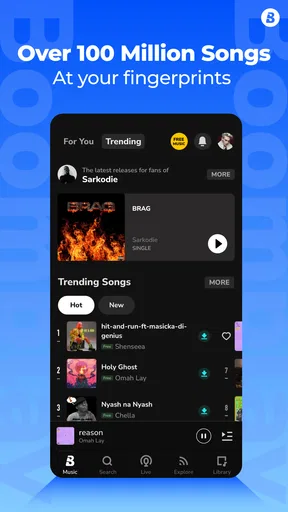
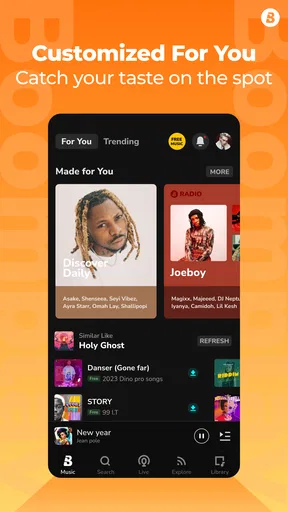
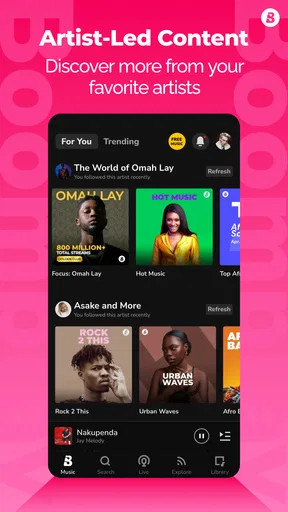
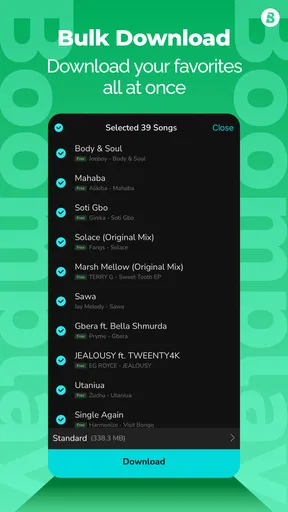
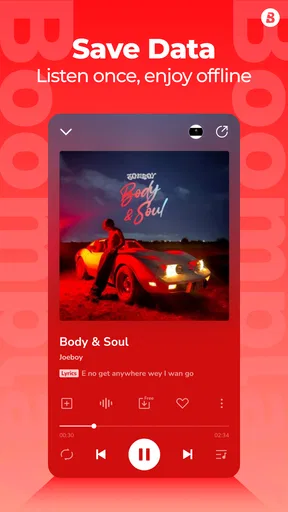
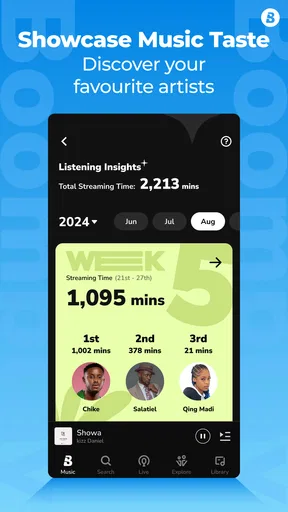
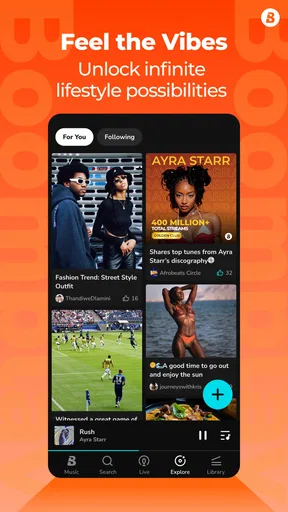
Our Review of Boomplay: Music & Live Stream
 Analysis by Appyee
When music is shared around a home, choosing an app is about more than finding a song. I want something that can serve different moods, keep a few useful tracks available when the connection is patchy, and stay simple enough that another person can pick it up without turning the living room into a tech-support desk. That is the setting in which I’d consider Boomplay: Music & Live Stream: a broad music app with offline listening and live content, but one that still works best when each listener has clear expectations about their own account and choices.
A shared device needs clear listening habits
On a household tablet or a phone passed between people, the practical question is what happens to recommendations when everyone takes a turn. A younger listener might search for one kind of music while an adult plays something entirely different; when listening is mixed together, discovery can feel less personal. I’d make a simple habit of choosing who is using the app before browsing, and avoid treating a shared history as a reliable picture of one person’s taste.
That matters most when the app is being used to find new artists. Recommendations are useful when they reflect the person actually listening, but less helpful when several people take turns on the same setup. For a shared household, I’d use search for a particular song or artist when someone knows what they want, then leave exploratory listening for the person whose preferences are meant to guide the experience. It is a small distinction, but it helps keep discovery from feeling random.
Set boundaries before passing the phone around
Account access is worth thinking through before the app becomes a common remote control for the family’s music. I would not assume that a household device automatically creates separate listening spaces, or that every person’s activity is neatly divided. If you use Boomplay on a device that others can handle, agree on whether they may browse freely, change what is playing, or download tracks. Those everyday boundaries are more dependable than assuming the app will organize a shared routine for you.
Downloads call for a little planning too. Before a long trip or a day with limited connectivity, I’d prepare the music that the household actually expects to play and check it while there is still a connection. For a shared device, that means choosing a short, purposeful selection rather than letting every person save whatever catches their eye. The benefit is easy offline access; the trade-off is that a crowded collection can become harder to manage when nobody remembers who saved what or why.
Coordinate the listening, not just the playlist
Boomplay’s social and community elements may appeal to people who like sharing musical finds, but a family does not need to turn every listening session into a joint activity. I’d use shared recommendations as conversation starters: one person can point out a track, and someone else can search for it later. For everyday background music, a clear handoff works better than several people changing the queue at once. That keeps the app useful in a kitchen or common room without making every choice a negotiation.
A realistic example is a household getting ready in the morning. One person can put on familiar tracks while breakfast is being made; later, someone heading out can use saved music when the connection is unreliable. I would decide in advance who is choosing music on the shared device and avoid relying on live streaming as the only plan when everyone needs uninterrupted playback. The useful lesson is not complicated: make downloads the fallback for predictable listening, and keep live content for a time when streaming is convenient.
Age context and a sensible level of trust
The app carries a Teen content rating, which gives families a useful age-context clue, but I would not treat a store age label as a substitute for knowing what a young person is listening to. Music libraries and community areas can expose listeners to material and conversations that parents may want to discuss. If a teenager uses the app, I’d talk about how they choose music, what they share, and when they should bring something uncomfortable to an adult, rather than assuming the rating answers every household question.
For adults, the same principle applies in a different way: decide what you are comfortable sharing and whether a common device should stay signed in. A music app can feel casual, yet searches and listening choices are personal. I find it healthier to treat access as a household agreement instead of handing over a signed-in phone without thinking about account boundaries. That is especially sensible when someone else might change settings, browse under your profile, or use data on a connection you share.
First Impressions of the Music App
Opening Boomplay for the first time felt like stepping into a digital music festival. The layout is pretty slick, with an intuitive interface that doesn’t overwhelm you with too many options right off the bat. It’s got this dark theme which is kind of cool and easy on the eyes, especially if you're like me and tend to scroll through music apps late at night.
Signing up was a breeze. You can use your email or social media accounts, and in no time, you're in. They ask you about your music preferences during setup, which is a nice touch—it helps them curate a playlist that’s right up your alley.
Exploring Features and Functionality
This app isn’t just about music tracks. Oh no, it’s got a whole suite of features aimed at enhancing your music experience. Let’s break it down:
- Vast Music Library: From mainstream hits to indie gems, Boomplay’s library is impressively vast. You can explore different genres, and there’s a good chance you’ll find even your most obscure favorites.
- Music Discovery: The app does a solid job of recommending new music based on your listening habits. I found a couple of new artists I’d never heard of, and now I’m hooked!
- Live Streaming: This is where Boomplay gets interesting. You can stream live performances, which gives you that concert feel right from your couch. It’s a fantastic way to catch artists you love performing live.
- Offline Listening: You can download tracks for offline play. This is a lifesaver for those moments when you're without Wi-Fi but need your favorite jams.
The User Experience
Using Boomplay is a smooth ride. I didn’t encounter any lags or crashes, and navigating through the app is as easy as pie. The search function is pretty robust, allowing you to find songs, artists, or albums quickly. Plus, the app remembers your searches, which is super handy.
They’ve also got a community feel going on. You can interact with other music lovers, share playlists, and even see what’s trending. It’s like a mini social network for music enthusiasts.
Sound Quality and Performance
Sound quality on Boomplay is top-notch. Whether you're using headphones or blasting through speakers, the clarity is impressive. The app supports high-quality audio streaming, and if you've got the data to spare, it's worth it.
Performance-wise, Boomplay stands its ground. No buffering issues during my time with it, even when streaming live concerts. The app’s developers seem to have optimized it well for both Android and iOS platforms.
Subscription Plans and Pricing
Boomplay offers both free and premium models. The free version is great if you want to try things out, but it does come with ads. If you want an ad-free experience and access to exclusive content, the premium subscription is the way to go. It’s reasonably priced, and they offer a couple of different plans to suit your needs.
They also run promotions every now and then, so you might snag a good deal if you keep an eye out.
Choosing it over other music apps
Against the usual music-streaming alternatives, Boomplay’s most distinctive appeal is the combination of a sizable catalog, recommendations, offline playback, and live performances in one place. If I mainly wanted a familiar, focused listening service with a polished library-and-playlist routine, I’d compare it carefully with the streaming app I already use rather than assume every catalog or recommendation system will suit me equally. If live music and finding unfamiliar artists matter to me, Boomplay has a stronger case.
It also sits between a streaming service and a straightforward music player in a useful way: I can browse and discover when I have a connection, then prepare tracks for offline listening. That does not make it a replacement for every way of listening. Someone who already manages a personal music collection and wants only a simple local player may find a dedicated player less busy. Someone who prefers a service centered on a particular catalog or listening workflow should check that their usual artists are easy to find before moving over.
Who will get the most from it
I’d recommend Boomplay to listeners who like exploring beyond a familiar rotation, want the option to save music for disconnected moments, and enjoy the idea of live performances alongside recorded tracks. It also makes sense for someone who wants to try a free music app before deciding whether its broader experience fits their routine. The app is developed by Transsnet Music Limited, and its reach is substantial: it has passed 100 million installs and holds an average rating of 4.3 from around 996,000 ratings.
On the other hand, I’d hesitate if ads quickly ruin a listening session, if a household needs carefully separated profiles, or if the main requirement is an uncomplicated player for files already stored on a device. Those are not small preferences; they change what counts as a good fit. I’d also avoid choosing any streaming app solely because its catalog sounds large. Search for a few artists and albums you genuinely care about first, since personal availability matters more than a headline-sized library.
Small habits that make it work better
My most useful routine would be to treat discovery, live listening, and offline playback as three separate jobs. Search directly when I know the track, use recommendations when I have time to wander, and download a deliberate selection before a commute or trip. That avoids wasting mobile data on music I could have prepared earlier and makes it easier to tell whether the app’s discovery is actually helping me find worthwhile new listens.
I’d also be selective about how much I download, especially on a device shared with other people. Save music for a specific need—such as a regular journey or a place where connectivity is unreliable—then revisit the selection when that need changes. For live content, I’d check that the connection is suitable before settling in, rather than counting on a stream to behave like a saved track. These small choices make the app feel more dependable without pretending that streaming and offline listening are interchangeable.
What to know before installing
Boomplay is free to install, is rated for Teen audiences, and its listed current version is 7.7.61, with Android support starting at version 6.0. Optional in-app purchases are offered, with listed items ranging from $0.49 to $299.99. I would read the purchase details on the device before confirming anything, particularly if a younger person can use it; the existence of a free starting point does not mean every optional item is free.
The practical questions I’d ask myself are straightforward: can I find the music I actually listen to, am I comfortable with the free experience, and will I use offline downloads or live performances enough to justify adding another app? Its release date is April 7, 2016, and it has accumulated around 5,100 written reviews, but neither longevity nor popularity should decide the matter for you. A quick personal trial of search, recommendations, and a planned offline listen is more revealing than installing it just because other people have.
Final Thoughts
All in all, Boomplay: Music & Live Stream delivers on its promises. It’s a feature-rich app that doesn’t just offer music streaming but expands into live performances and community engagement. If you love discovering new music and want more than just a playlist, this app is definitely worth checking out.
The combination of a comprehensive music library, user-friendly interface, and live streaming options makes it a standout choice in the crowded world of music apps. So why not give Boomplay a shot? You might just find your new favorite artist.
A household verdict
For a household, I’d call it a promising shared source of music, not a complete family listening system. It can serve a common room, help an individual build a personal discovery habit, and provide prepared listening away from a reliable connection. The trade-off is that people need to coordinate who is browsing, keep account use in mind, and pay attention to age-appropriate choices rather than expecting the app to settle those questions on its own.
If those boundaries sound manageable, Boomplay is worth trying, especially for a listener who values discovery and live performances as well as offline play. If your priority is separate personal experiences for everyone, a service whose account setup better matches that need may be the more comfortable choice. My recommendation is to test it with the music and household routine you actually have, then keep it only if it makes listening easier rather than adding another thing everyone has to manage.
Verdict
Strengths of Boomplay: Music & Live Stream
- Extensive music library available.
- User-friendly interface design.
- Offline listening feature included.
- Regularly updated with new content.
- Live streaming option for concerts.
Limitations of Boomplay: Music & Live Stream
- Ads can be intrusive at times.
- Requires registration to use.
- Limited free skips per hour.
- Some features locked behind paywall.
- Occasional app crashes reported.
Similar Picks in This Category
View All
YouTube Music
Google LLC4.4

Samsung Music
Samsung Electronics Co., Ltd.3.8

Spotify: Music and Podcasts
Spotify AB4.3

JioSaavn - Music & Podcasts
Saavn Media Limited4.3

Lark Player:Music Player & MP3
Lark Player Studio - Music, MP3 & Video Player4.6

StarMaker: Sing Karaoke Songs
SKYWORK AI PTE. LTD.4.3
Frequently Asked Questions
What is Boomplay and what features does it offer?
Boomplay is a versatile music streaming app that offers a vast library of songs, albums, and playlists. It features offline listening, personalized recommendations, and live streaming of concerts. Users can also explore lyrics, watch music videos, and engage with a community of music lovers. It's available on both Android and iOS platforms.
Is Boomplay free to use, or does it require a subscription?
Boomplay offers a free version with ads, allowing users to stream music without any cost. However, it also provides a premium subscription option, which removes ads and enhances the listening experience with additional features like offline downloads and high-quality audio. Subscription details are available within the app.
How can I download music for offline listening on Boomplay?
To download music for offline listening on Boomplay, you need to have a premium subscription. Once subscribed, simply navigate to your desired song or playlist and tap the download icon. The downloaded content will be available in the 'Downloads' section for offline access, even without an internet connection.
Is Boomplay available in all countries?
Boomplay is primarily available in Africa and some other regions. While it continues to expand its reach, availability may vary depending on your location. It's advisable to check the app store in your country to see if Boomplay is available. The app aims to offer localized content to its users.
What type of music content can I expect on Boomplay?
Boomplay boasts a diverse range of music genres, including Afrobeats, pop, hip-hop, rock, and gospel. It offers local and international artists, catering to a wide array of musical tastes. Users can discover new music through curated playlists, trending charts, and personalized recommendations tailored to their listening habits.
